


MitCad is an open-source parametric desktop CAD application. It runs on Windows, Linux and macOS (Apple Silicon, macOS 14.4 or newer). Its licence is the MIT licence.
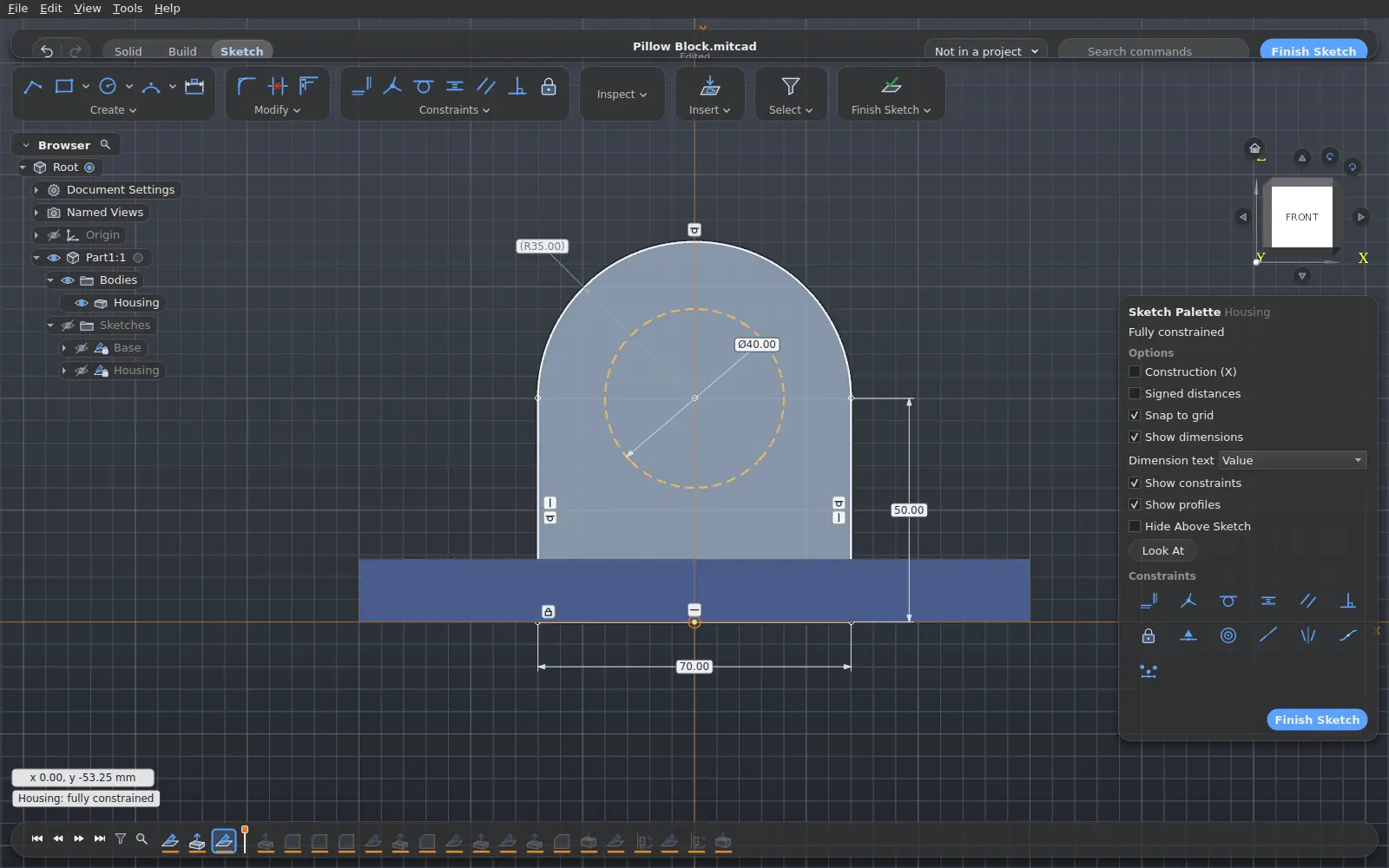
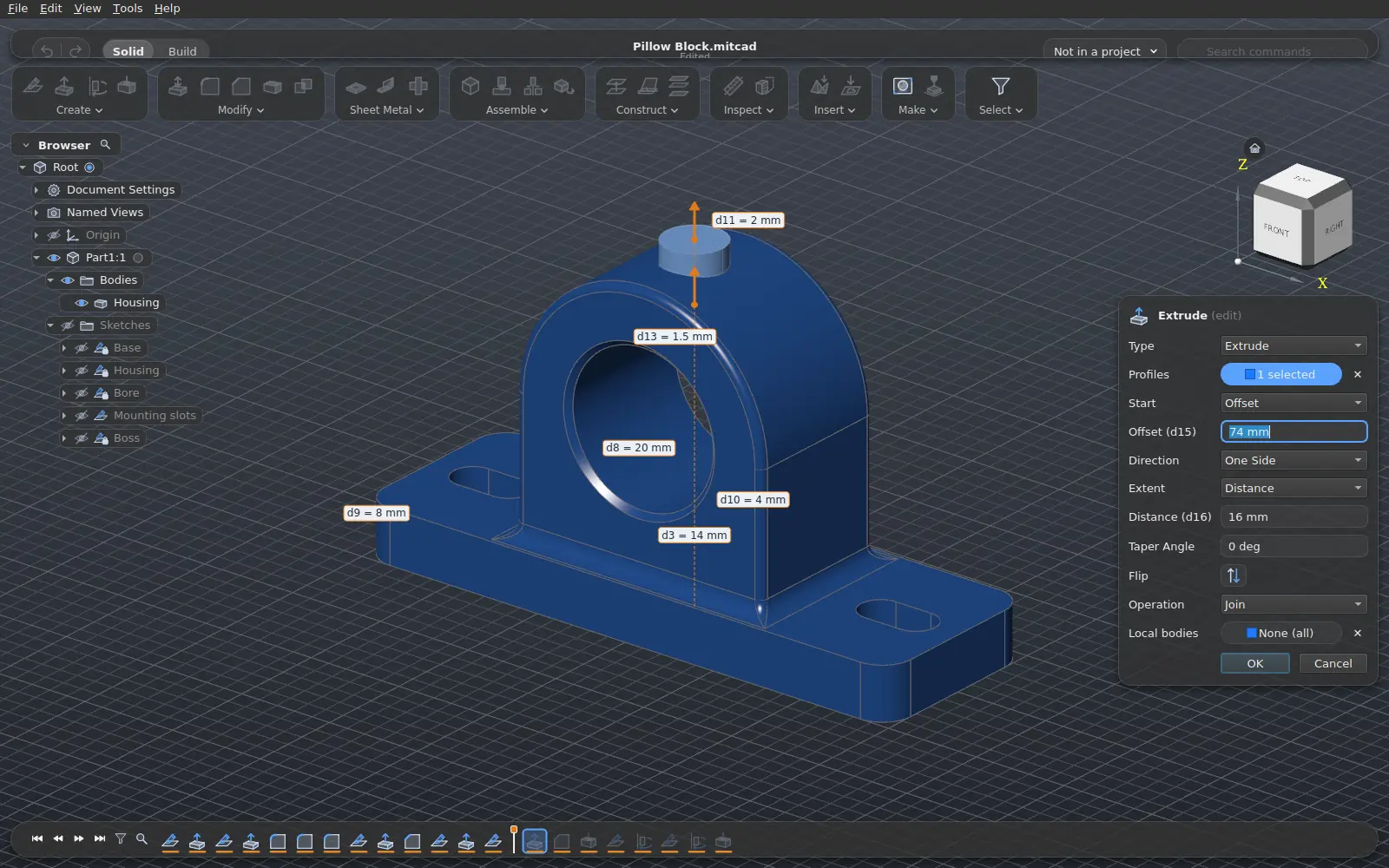
- Parametric modelling with a history. You draw sketches with constraints and dimensions. Features go on a timeline. Parameters hold expressions. When you change a dimension or edit a feature, MitCad rebuilds the model.
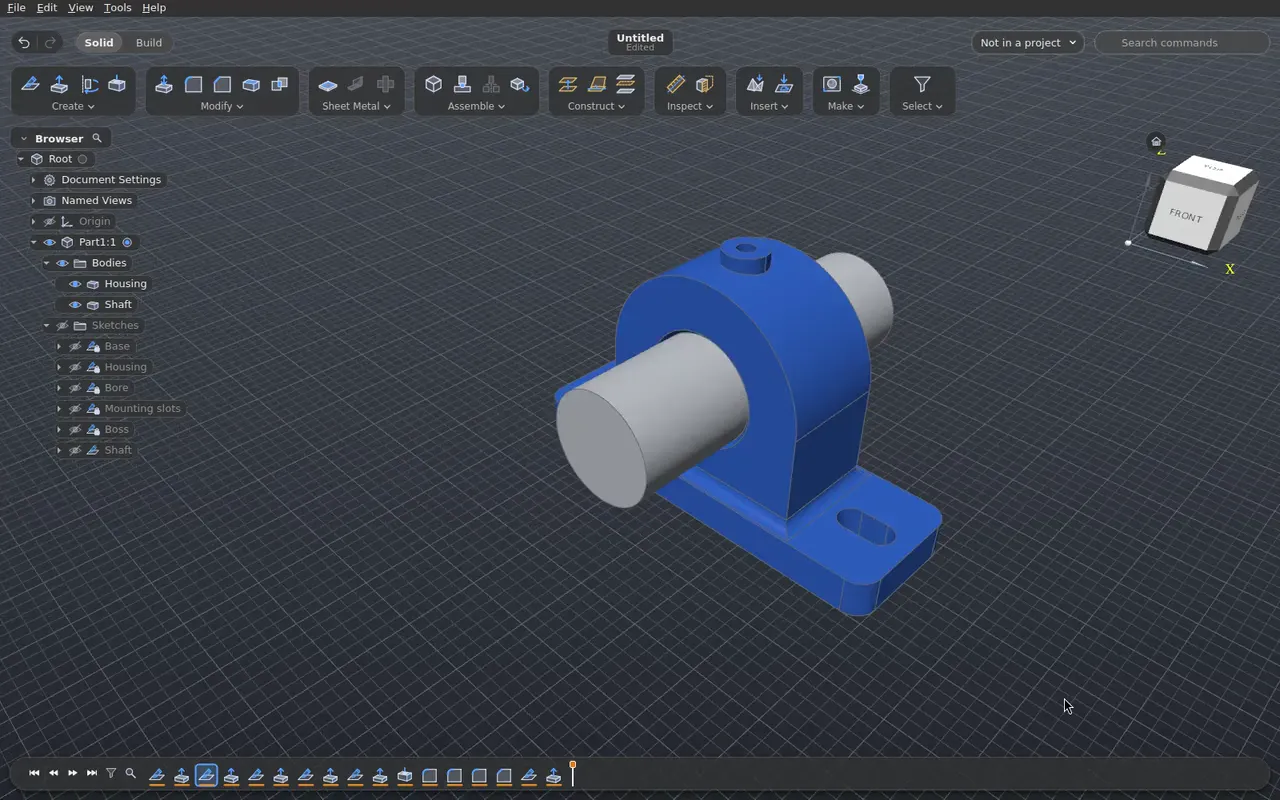
- Visual workflow. The window has a tabbed toolbar, command panels with a live preview and drag handles, a model browser, a timeline and a command search.
- Many CAD formats. FreeCAD,
.f3d, SolidCraft and.iptfiles open with their history. IFC and.rvtbuilding models open with their storeys and elements. DWG drawings open with their 3D solids and blocks. MitCad imports and exports STEP, IGES, BRep, STL, OBJ, DXF and 3MF, imports SVG, and exports USDZ, web pages and drawings (PDF, SVG, DXF, DWG). The full table is in the user guide: File formats. - 3D printing. MitCad sends bodies directly to a slicer (Bambu Studio, OrcaSlicer, PrusaSlicer, UltiMaker Cura).
How to install and use MitCad: the user guide. Website: mitcad.org. Downloads: the releases.
 |
 |
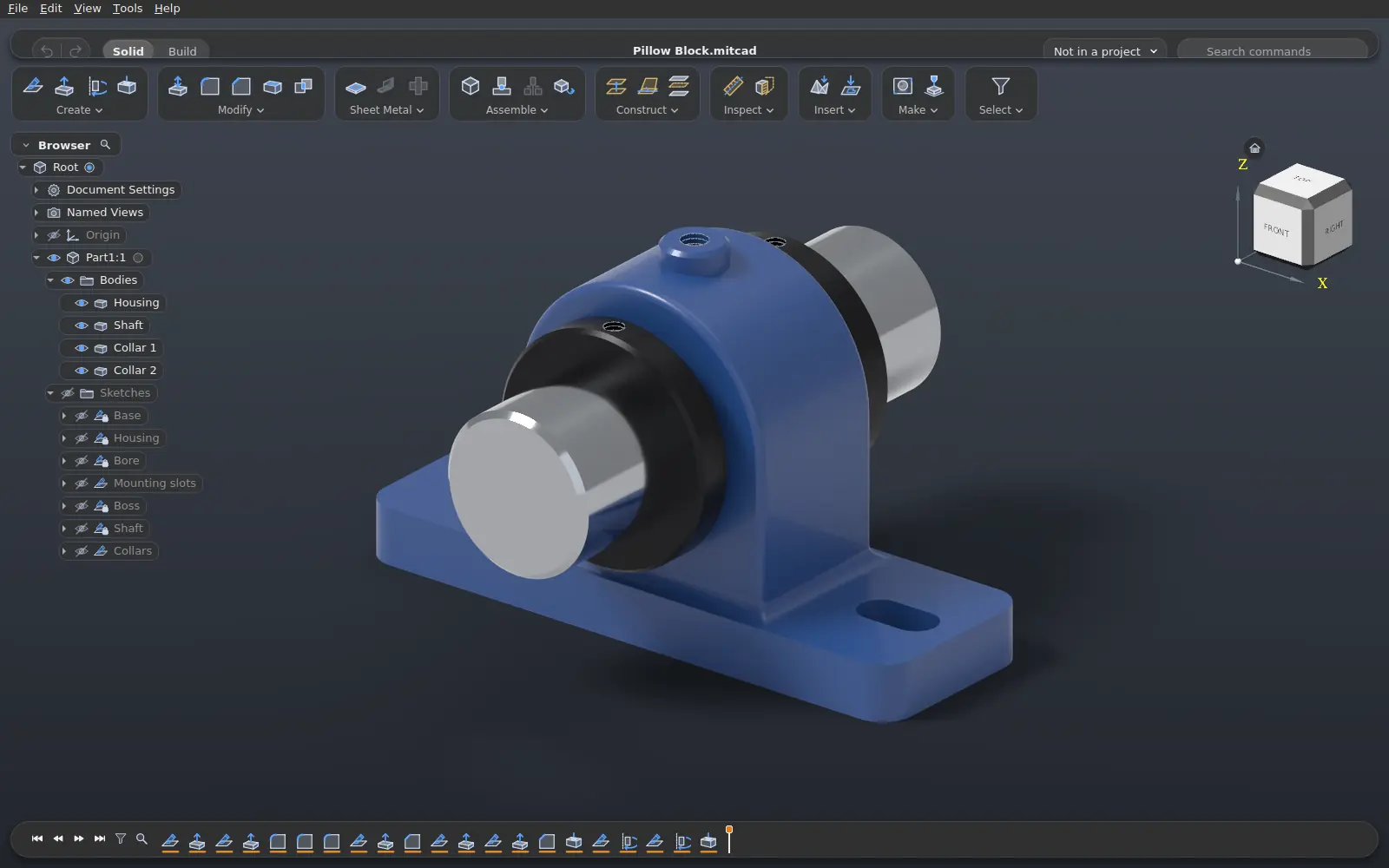 |
| Sketch. MitCad solves constraints and driving dimensions as you draw. | Edit. Roll back the timeline and change a feature. The model follows. | Render. A path-traced view of the design, in the window. |
The world did not have a CAD application that is easy to use, imports many file formats and also runs on Linux. MitCad was started to be that application. It is free to use, change and share under the MIT licence.
If a file does not import correctly, please open an issue.
MitCad is under active development. Each release has a Windows installer, a Linux AppImage and a macOS disk image. Part modelling, sketches, assemblies with joints that move their components, analysis, the file formats of the user guide and the version history of projects work.
Known gaps: direct modelling without a history, and some loft combinations.
Once a day, MitCad checks for a signed release and offers to install it (the Windows installation, a per-user AppImage, the macOS application). The user or an administrator can set the checks to off (docs/updates.md).
MitCad is C++17 (Qt 6 Widgets, Open CASCADE Technology) and Rust (the model, the solver and the file import), built with CMake and Ninja; Corrosion builds the Rust crates and CXX bridges the two languages. Versions used in development: Qt 6.12 LTS, OCCT 8.0.1 (built by vcpkg with a few patches of MitCad's that speed up booleans and the shape checker on faces with many edges, let fillets run over faces narrower than they are, fix other failures and crashes of the fillet, and make an allocation that fails throw instead of crashing: third_party/vcpkg-ports), the Rust toolchain pinned in rust-toolchain.toml.
The configure presets in CMakePresets.json
(linux-debug, linux-release, macos-debug, macos-release,
windows-release; no Windows Debug build, as the render worker links
release builds of its libraries) take
vcpkg and Qt from the environment variables VCPKG_ROOT and
QT_ROOT_DIR. The setup scripts below write a local
CMakeUserPresets.json (not under version control) with a dev preset
that sets them.
Build and test in an isolated environment (dependency build scripts run third-party code): docs/development.md.
Requirements: GCC 13+ or Clang, CMake 3.25+, Ninja, Rust, vcpkg and Qt 6.8+. On Ubuntu 24.04 the scripts install everything with pinned versions:
sudo tools/dev-env/install-packages.sh
tools/dev-env/setup-user.sh
cmake --preset dev && cmake --build --preset dev && ctest --preset dev
The first configure builds OCCT and the renderer's libraries with vcpkg
(about 30 minutes). The
application is build/dev/app/mitcad; use a release build
(linux-release) for performance measurements. Packaging as an
AppImage: docs/development.md.
Every build has the rendered view (a prototype with Cycles on the CPU,
or an NVIDIA GPU with Cycles' CUDA device on Linux and Windows, Metal on
macOS): the setup scripts run tools/dev-env/build-cycles.sh --cuda
(build-cycles.ps1 -Cuda on Windows, build-cycles-macos.sh on macOS)
once, which builds Cycles, its GPU kernels and Open Image Denoise from
pinned sources outside the build folders
(docs/rendering.md);
MITCAD_RENDER_CUDA=0 leaves out the CUDA kernels' build on a
development machine. Without the prefix the configure stops and names the
script. The renderer is the
executable mitcad-render next to mitcad (only it links the renderer's
libraries), and View › Visual Style › Rendered appears whenever it is there, with View
› Render Environment for the design's light (with lights of one's own),
background, ground and exposure, and Render Image (and mitcad-cli render) for a final
image file at a chosen size and quality; the AppImage, the Windows
installer and the macOS bundle include it.
Requirements: Visual Studio 2022 or newer with the C++ desktop tools.
setup-windows.ps1 installs Git, CMake, Ninja, ccache, Rust, Python, NSIS,
cargo-deny, vcpkg and Qt (run it as an administrator), builds the
renderer's libraries (build-cycles.ps1 -Cuda) and writes
CMakeUserPresets.json; msvc.cmd runs a command in the MSVC
environment:
powershell -ExecutionPolicy Bypass -File tools\dev-env\setup-windows.ps1 -Repo <checkout>
tools\dev-env\msvc.cmd cmake --preset dev
tools\dev-env\msvc.cmd cmake --build --preset dev
tools\dev-env\msvc.cmd ctest --preset dev
The application is build\dev\mitcad.exe (with Qt's bin on PATH)
and needs OpenGL 2.1+. Without a GPU, build Mesa's llvmpipe with
tools/dev-env/setup-mesa-windows.ps1 and configure with
-DMITCAD_MESA_DIR=<dir>/bin (docs/development.md).
Requirements: Apple Silicon, macOS 14.4 or newer, the Xcode Command Line
Tools and OpenGL 4.1 core (deprecated by Apple but present). In the build
VM, setup-macos.sh installs CMake, Ninja, Rust, cargo-deny, vcpkg and Qt
in the user's home directory, builds the renderer's libraries
(build-cycles-macos.sh) and writes CMakeUserPresets.json:
tools/dev-env/sync-to-mac.sh
ssh <user>@<guest> "~/src/mitcad/tools/dev-env/setup-macos.sh"
ssh <user>@<guest> "cd ~/src/mitcad && cmake --preset dev && cmake --build --preset dev && ctest --preset dev"
The application is build/dev/app/mitcad.app. Packaging as a disk image:
docs/development.md.
The AppKit frontend is built with -DMITCAD_MACOS_NATIVE_UI=ON; that build
uses a native window, toolbar, browser, inspector and dialogs by default.
--ui=qt selects the retained Qt frontend. Details and validation:
native macOS UI.
tools/check-all.shruns the warning-free build, cargo fmt/clippy, dependency checks, and
the ctests, corpus tests and UI tests (on a hidden Xvfb display) whose
sources changed; tools/check-all.sh --full, the check before a release
build, runs every test. Details, the Windows and macOS tests and the
corpus setup: docs/development.md.
| Directory | Contents |
|---|---|
core/model |
Rust model: document, timeline, features, sketches, naming, recompute, design file, JSON API (commands.md) |
core/solver |
2D sketch constraint solver |
core/vec3 |
The [f64; 3] helpers shared by the model, the solver and the readers |
core/f3d, core/f3d-design, core/f3d-decode, core/f3d-file, core/f3d-names, core/asm, core/dump, core/freecad, core/import, core/zip |
.f3d and FreeCAD readers (the ASM B-rep reader in core/asm, the dump IR in core/dump) and the history import |
core/expr, core/print-keys |
Parameter expressions with units; the print settings' key map (both re-exported by the model) |
core/ipt |
.ipt reader: compound file, property sets, segments, the bodies |
core/solidcraft |
.solidcraft reader: the JSON design or its container, upgraded to one format |
core/dxf, core/3mf, core/usdz |
DXF, 3MF and USDZ |
core/vcs, core/update |
Version history in git; automatic updates |
core/ffi, core/cpp |
CXX bridges between Rust and C++ |
core/ffi-staticlib |
The bridges' static library that the application links |
geometry |
C++ facade over OCCT |
app |
Qt application (app/COMMANDS.md) |
tools |
mitcad-cli, UI tests, dev environment scripts, FreeCAD export macros, macOS packaging |
docs |
Architecture, development, user guide, updates, rendering, naming |
third_party |
Third-party files with their own licences |
For the time being, we don't merge pull requests in this repository. Changes come in as a continuous stream of commits, and our development pipeline works best when they all flow in one direction. It is shaped like a tree: changes enter at its outer edges and converge, stage by stage, into a release. This GitHub repository sits at the trunk, where only finished releases arrive, one snapshot commit each. We intend to develop this further, but to keep the current pace, every change has to go through that pipeline for now. A pull request is therefore closed, and its change may be taken over internally. Issues are welcome and are the way to propose a change; a fix can be included in the issue as a diff.
Issues made entirely by an AI agent are welcome, with these conditions:
- An agent that writes issues (or a fix in one) uses at least Claude Opus 5.5 or GPT-6.1 Sol, with medium reasoning effort. High reasoning effort is preferred. Lighter models and lower effort levels are not accepted for this work.
- Before writing an issue, the agent finds the code the issue concerns and refers to it in the issue (files, functions, the current behaviour). This confirms that it has understood the context and the target correctly; an issue written without looking at the code is not accepted.
No. The renderer can use the ray tracing cores of NVIDIA's RTX cards only through NVIDIA OptiX, and the OptiX licence does not fit open source software. The OptiX SDK headers would be compiled into MitCad's renderer. NVIDIA's licence permits the distribution of such a program only in binary form, only for NVIDIA hardware, and only when an enforceable agreement binds every recipient to NVIDIA's terms. Open source software that anyone can download, build, change and pass on cannot meet those terms. Thus MitCad does not build or ship OptiX. NVIDIA cards render with Cycles' CUDA device, which needs no such terms. The CUDA device does not use the RT cores, so RTX cards render slower than they could (docs/rendering.md).
MIT (LICENSE). Qt and OCCT are LGPL and linked dynamically. Licence policy: docs/development.md.
mitcad-cli mcp --workspace /absolute/path/to/designs starts a headless
MCP server over stdio for a local AI client. The server can make and open
documents, run native modelling commands and queries, save editable
.mitcad files, and export geometry inside the workspace. Add
--read-only to inspect existing designs. mitcad-cli mcp --connect
connects an agent to the open desktop application instead. Client setup,
a modelling example, the error rules and the current limits:
docs/mcp.md.